
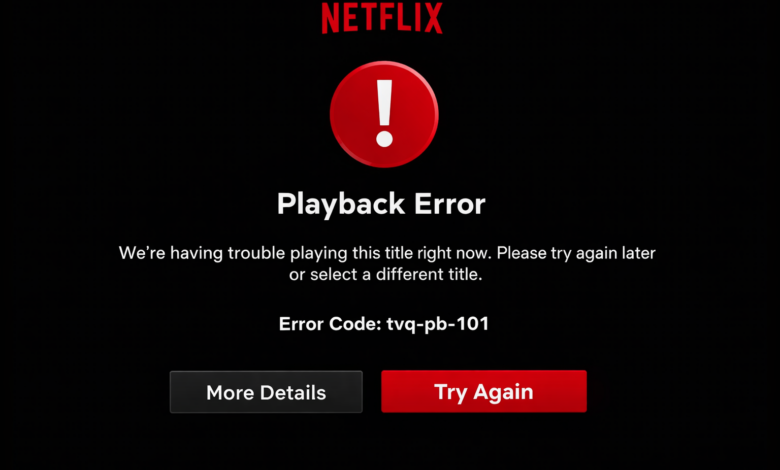
If you sit down to watch your favourite Netflix movie or show and suddenly see Netflix error code tvq-pb-101 on the screen, it can instantly ruin the experience. This error often appears on smart TVs, streaming devices, gaming consoles, or even some mobile devices when Netflix fails to connect properly to its servers. The good news is that it is a common issue and usually easy to fix without needing any technical background. In this guide, we will explain what Netflix error code tvq-pb-101 means, why it appears, and the best ways to fix it step by step in simple words.
Everything is written in a clear way so anyone can follow along and get back to streaming quickly.
What is the Netflix Error Code tvq-pb-101?
Netflix error code tvq-pb-101 is a connectivity-related error. It usually appears when your device is unable to communicate properly with Netflix servers. This can happen because of internet issues, device glitches, outdated apps, or stored data problems. Instead of playing your content, Netflix stops and shows the error message.
You may see Netflix error tvq-pb-101 on devices such as:
- Smart TVs (Samsung, LG, Sony and others)
- Streaming devices like Roku, Fire TV, or Apple TV
- Gaming consoles such as PlayStation or Xbox
- Some mobile phones and tablets
The error is mostly related to the network connection between your device and Netflix. It does not usually mean your account is blocked or your subscription has expired.
Common Reasons Behind Netflix error code tvq-pb-101?
Before fixing the issue, it helps to understand why Netflix error code tvq-pb-101 appears in the first place. Here are the most common causes:
– Weak or unstable internet connection
Netflix requires a stable internet connection to stream videos. If your Wi-Fi signal is weak or keeps dropping, the Netflix error tvq-pb-101 may show up.
– Temporary device glitch
Sometimes the device you are using just needs a quick restart. Small system glitches can prevent Netflix from loading correctly.
– Outdated Netflix app
If your Netflix app is not updated to the latest version, it may struggle to connect to Netflix servers.
– Network settings problem
Incorrect DNS settings or router issues can interrupt the connection and trigger Netflix error code tvq-pb-101.
– VPN or proxy usage
Using a VPN or proxy can interfere with Netflix servers. Netflix may block the connection and show the error.
Fix Netflix Error Code tvq-pb-101?
Let’s go through the most effective ways to fix Netflix error code tvq-pb-101. You can try these solutions one by one until the issue is resolved.
Fix 1: Restart your device
This is the simplest and most effective fix in many cases.
- Turn off your smart TV or streaming device.
- Unplug it from the power source.
- Wait for about one minute.
- Plug it back in and turn it on.
- Open Netflix again and try streaming.
A quick restart clears temporary glitches and often resolves Netflix error tvq-pb-101 instantly.
Fix 2: Check your internet connection
A stable internet connection is essential for Netflix streaming.
- Make sure your Wi-Fi is working properly.
- Try opening another app or website to test the internet.
- Restart your router by unplugging it for one minute.
- Move your device closer to the router if the signal is weak.
If your internet connection is slow or unstable, Netflix error code tvq-pb-101 may keep appearing.
Fix 3: Sign out and sign back in
Refreshing your Netflix session can sometimes fix connection errors.
- Open Netflix settings.
- Sign out of your account.
- Restart the app or device.
- Sign back in and try again.
This simple step can help clear session-related issues causing Netflix error tvq-pb-101.
Fix 4: Update the Netflix app
An outdated app may not work properly with Netflix servers.
- Go to your device’s app store.
- Search for Netflix.
- Check if an update is available.
- Install the update.
- Restart the app and test playback.
Keeping your app updated is important to avoid Netflix error code tvq-pb-101 in the future.
Fix 5: Restart your home network
Sometimes the problem is with your network rather than your device.
- Turn off your device.
- Unplug your modem and router.
- Wait for about one minute.
- Plug the modem back in first and wait until it fully starts.
- Then plug in the router.
- Turn on your device and open Netflix.
This refreshes your network connection and often resolves Netflix error tvq-pb-101.
Fix 6: Turn off VPN or proxy
If you are using a VPN or proxy service, try turning it off.
- Disable the VPN on your device or router.
- Restart Netflix.
- Try streaming again.
Netflix may block certain VPN connections, which can lead to Netflix error code tvq-pb-101.
Fix 7: Reset network settings on your device
If nothing else works, resetting network settings can help.
- Go to device settings.
- Open network settings.
- Choose a reset network or reconnect to Wi-Fi.
- Enter your Wi-Fi password again.
- Open Netflix and test playback.
This step removes incorrect settings that may cause Netflix error tvq-pb-101.
Does Netflix error code tvq-pb-101 affect all devices?
No, this error usually affects one device at a time. If Netflix works on your phone but not on your smart TV, it means the issue is device-specific. That is why restarting the device or network often fixes Netflix error tvq-pb-101 quickly.
How can you prevent Netflix error code tvq-pb-101 in the future?
You can follow these simple tips to avoid seeing Netflix error code tvq-pb-101 again:
- Keep your internet connection stable.
- Restart your router once in a while.
- Update your Netflix app regularly.
- Avoid using unreliable VPN services.
- Restart your device if it becomes slow.
These small habits can help you enjoy uninterrupted streaming.
When should you contact Netflix support?
You should contact Netflix support if:
- The error continues after trying all fixes.
- Netflix does not work on multiple devices.
- You suspect an account or region issue.
Netflix support can guide you with device-specific troubleshooting if needed.
Final thoughts
Netflix error code tvq-pb-101 can be frustrating, especially when you are ready to relax and watch something. However, it is usually a simple connectivity issue and not a serious problem. Restarting your device, checking your internet connection, updating the app, or restarting your network can fix the Netflix error tvq-pb-101 in most cases.
The main thing to remember is that this error is temporary and easy to solve. With the steps explained above, you should be able to fix Netflix error code tvq-pb-101 quickly and get back to enjoying your favourite shows and movies without interruptions.
For more information visit on our website : Dolphin Techknology