Step-by-Step Guide to Fix Alexa Calling or Messaging Not Working Issues

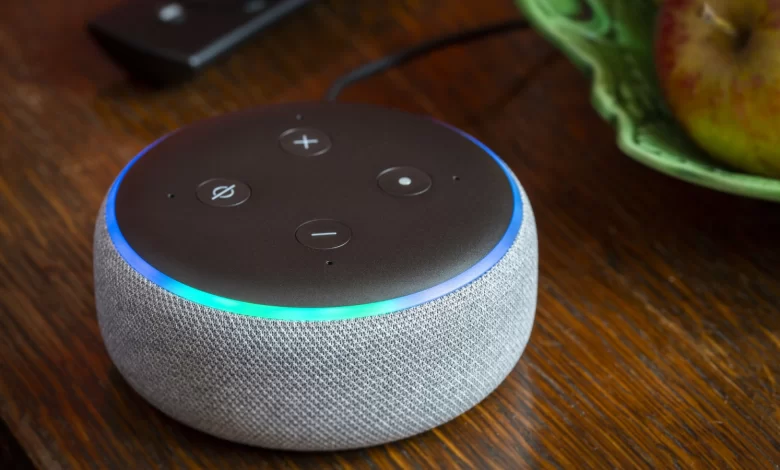
Undoubtedly, Alexa is a very useful tool for all users of this age. It is a device that helps you to make some day-to-day tasks crucially easier than before. There is a range of the most useful functions of this device. One of them is Alexa’s ability to make as well as receive phone calls.
Are you experiencing any sort of hardship while calling or messaging your loved ones? Or is it not functioning properly? Worry not!! In this blog post, we have mentioned a complete list of the fixes to resolve the Alexa Calling and Messaging not working issue.
Let’s explore the top reasons and the easy fixes for this issue that you can try more conveniently…….
Buckle up!!
Overview of Alexa Calling and Messaging Function
The Alexa Calling and Messaging feature allows you to make hands-free calls, send messages, and communicate seamlessly with friends and family using Alexa-enabled devices. Here’s a quick breakdown:
Key Features
-
Voice and Video Calling:
- You can easily make voice or video calls to other Alexa users. It is also possible for you to get in touch with all contacts that are stored in your Alexa app.
- Alexa devices are surely supported on Echo devices but with screens only. It is like the Echo Show for video calls.
-
Messaging:
- It is too easy for you to send text or voice messages to Alexa-enabled devices. In addition to this, you can also send it to the Alexa app on a smartphone.
-
Drop-In:
- It is certainly a unique feature that enables instant communication. For this, there is no need to “answer” the call. This is ideal for family members or close contacts.
-
Announcements:
- For all users, it will be easier to broadcast messages to all Alexa devices not only in your home but also in your office. It is just like an intercom system.
How It Works
- Alexa syncs with the contacts of your phone through the Alexa app.
- With the use of voice commands just as “Alexa, call Mom” or “Alexa, send a message to John.” This will be helpful to initiate communication.
- Alexa is proficient in making calls and messages are transmitted over Wi-Fi or cellular data. This way, you can eliminate the requirement for a phone plan.
Why Use It?
-
Convenience:
It is completely convenient to make hands-free calling and messaging. This makes it easy for you to stay connected.
-
Multi-Device Integration:
Alexa works across multiple devices. As an outcome, users can enjoy seamless communication.
-
Cost-Effective:
There are not any kind of extra charges for calls or messages within the ecosystem of Alexa.
Note:
So, it is damn sure that its ease of use & smart capabilities and Alexa Calling and Messaging will allow you to bring enhancement to everyday communication. This helps you to make it more accessible and efficient.
Why Is Alexa Calling or Messaging Not Working?
Wanna fix Alexa calling or messaging not working issues more quickly? If so, it is crucial for you to be aware of the key factors responsible for this issue. Let’s have an eye on them…..
1. Poor Internet Connection
It is confirmed that there is a high need for a stable internet connection. It is helpful to you in processing voice calls and sending messages. But, due to the weak or intermittent Wi-Fi connection, there will be disruption in the communication services.
2. Outdated Alexa App or Device Firmware
An obsolete Alexa app or device firmware can cause various compatibility as well as functionality issues. It may surely prevent your Alexa from executing calling and messaging features.
3. Incorrect Contact Synchronization
It is true that Alexa syncs contact from your phone or account. In case, the sync fails or contact is not properly saved, there is a possibility that calls or messages won’t go through. As an outcome, you will have to face errors when you try to contact someone via Alexa.
4. Disabled Calling and Messaging Feature
There is a probability that the calling or messaging feature may be disabled in the Alexa app. In case the settings are turned off, Alexa can’t place calls or send messages.
5. Microphone or Permission Issues
Alexa needs not only microphone access but also permission to recognize and execute commands. Blocked permissions or hardware issues with the microphone can definitely prevent Alexa from initiating calls or messages as well.
Note:
Once you identify and address these reasons, you can surely resolve the Alexa calling or messaging feature not working more efficiently.
How to Restore Alexa Calling and Messaging Functionality
Here in this section, we will throw light on the common fixes to resolve Alexa calling or messaging not working issues. Let’s follow the below-given troubleshooting steps to nip this issue in the bud….
1. Check Your Internet Connection
Initially, you need to confirm that your Alexa device is connected to a strong and stable Wi-Fi network. You can also restart your router if it is required.
2. Update the Alexa App and Firmware
To kick-start the process of upgrading the Alexa app and firmware, you have to open the Alexa app, the steps to follow for the same. First of all, go to settings> Device settings > Check for firmware updates. It will be better for you to update the app from the app store of your device.
3. Verify Contact Information
Confirm that the phone number or the email address of the concerned person is correctly saved and also synced in the Alexa app.
4. Enable Calling and Messaging
In this step, go to the Alexa app> navigate to Settings > Communications. Make sure that calling and messaging features are enabled. If they are not enabled, you must turn on to work properly.
5. Test and Adjust the Microphone
You also have the requirement to confirm that the microphone is not muted. There is a high need to properly verify the red light on the device. Besides, you also need to grant microphone permissions in the Alexa app.
6. Restart Your Alexa Device
At the beginning of the restarting process, you have to unplug the Alexa device > wait 30 seconds> and plug it back in. Just with a simple reboot, you can often resolve temporary glitches or bugs.
7. Reset Alexa to Factory Settings
If the problem still persists, you can perform a factory reset. For this, you have to reconnect the device to your account. After that, re-enable the Calling and Messaging feature. This way, you can resolve software issues or misconfigurations.
Bottom-line,
In nutshell it is damn sure that by following the tips given above, you can surely resolve Alexa Calling and Messaging not working.
For more information visit on our website : Dolphin Techknology now!