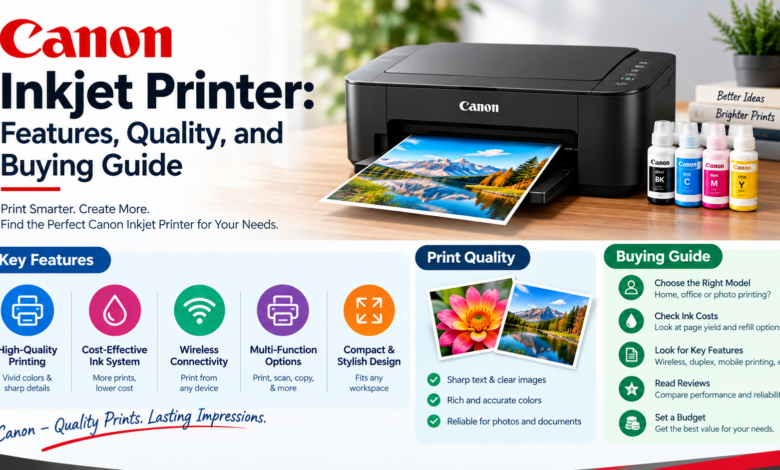
Canon Inkjet Printer: Features, Quality, and Buying Guide

A Canon Inkjet Printer can be a great choice when you want one printer that can handle everyday documents, colourful presentations, school projects, and photographs. But before you buy one, you may wonder whether an inkjet printer is actually right for your needs.
You might print only a few pages every week, or you may need to print documents and photos regularly. You may also want wireless printing, scanning, copying, or an affordable way to print at home. Don’t worry… understanding a few important features can make the decision much easier.
So, before choosing a Canon Inkjet Printer, let’s understand how it works, what it can do, and which type of user can benefit from it.
What is a Canon Inkjet Printer?
A Canon Inkjet Printer uses liquid ink to create text and images on paper. The printer places extremely small droplets of ink onto the paper to produce the final print.
Inkjet technology is particularly useful for colour printing because it can produce detailed images and smooth colour transitions. This makes inkjet printers popular among home users, students, families, and people who occasionally print photographs.
Canon offers inkjet models with different features, sizes, ink systems, and functions. Some models are designed mainly for printing, while multifunction versions can also scan and copy documents.
What are the key features of a Canon Inkjet Printer?
Before buying a printer, you should know which features can actually make a difference to your everyday printing.
High-quality colour printing
One of the biggest advantages of an inkjet printer is its ability to produce detailed colour prints. A suitable Canon Inkjet Printer can be useful for photographs, colourful documents, presentations, invitations, and school projects.
Wireless connectivity
Many Canon inkjet models support WiFi, allowing you to connect the printer to your home or office network. This means you can print from compatible computers, smartphones, and tablets without connecting a cable every time.
Mobile printing
Compatible Canon printers can support mobile printing through Canon’s apps and other supported printing technologies. This allows you to print a photograph or document directly from your phone instead of transferring it to a computer first.
Scanning and copying
Some Canon inkjet printers are multifunction models. They can print, scan, and copy documents from one device. This can be useful for students, remote workers, families, and small businesses because you do not need separate machines for basic document tasks.
Duplex printing
Some models can automatically print on both sides of the paper. This feature can help reduce paper usage when printing longer documents. However, automatic duplex printing is not available on every model, so check the printer specifications before buying.
Refillable ink systems
Some Canon inkjet printers use refillable ink tanks rather than conventional cartridges. These models can be particularly useful if you print frequently. The ability to refill the tanks can reduce the need to repeatedly replace small cartridges.
How good is Canon Inkjet Printer printing quality?
Printing quality is one of the main reasons people choose inkjet printers. A Canon Inkjet Printer can produce good-quality colour documents and photographs when you use compatible paper and suitable print settings. Photo-focused models can be especially useful if image quality is a major priority.
For normal documents, inkjet printers can produce clear text and sharp graphics. For photographs, the quality can depend on several things, including the printer model, ink system, paper type, image resolution, and selected print settings.
If you mainly print basic black-and-white documents, you may not need to spend extra money on advanced photo capabilities.
Note: Using the correct paper can make a noticeable difference to the final result. Photo paper is generally more suitable for photographs than ordinary office paper.
What are the advantages of a Canon Inkjet Printer?
There are several reasons why an inkjet printer can make sense for home and personal use.
- Excellent flexibility for colour and document printing.
- Suitable for printing photographs and graphics.
- Many compact models fit easily into home workspaces.
- Wireless connectivity is available on many models.
- Multifunction models can print, scan, and copy.
- Some models support automatic two-sided printing.
- Refillable ink-tank options can suit frequent users.
- Suitable options are available for occasional as well as regular printing.
Who should use a Canon Inkjet Printer?
A Canon Inkjet Printer can be suitable for several types of users.
Home users
If you need a printer for occasional documents, schoolwork, forms, recipes, photographs, or other household tasks, an inkjet model can be a practical choice. A compact multifunction model may be particularly useful if you also need scanning and copying.
Students
Students often need to print a mixture of assignments, notes, presentations, diagrams, and projects. An inkjet printer can provide the colour flexibility needed for these different tasks without requiring a separate photo printer.
Photographers and photo enthusiasts
If you regularly print photographs at home, look for a Canon model specifically designed to provide strong photo-printing performance. Check supported paper sizes, colour capabilities, ink configuration, and print resolution rather than choosing based only on the printer’s price.
Home-office users
People working from home may need both professional documents and occasional colour materials. A multifunction Canon inkjet printer can combine printing, scanning, and copying while taking up less space than several separate devices.
Small businesses
A small business that needs occasional colour printing may find an inkjet printer useful. However, businesses printing hundreds or thousands of text-heavy pages should also compare laser and high-volume printing options.
What should you consider before buying a Canon Inkjet Printer?
Don’t purchase a printer simply because it has a long list of features. Think about how you will actually use it.
1. Consider your printing volume
First, estimate how many pages you print each month.
If you print only occasionally, a basic cartridge-based model may be enough.
2. Think about colour requirements
Do you need photographs and colourful graphics, or are most of your documents black and white? If colour matters, an inkjet printer can provide the flexibility you need.
3. Check the ink costs
The printer itself is not the only expense. You should also consider replacement ink, paper, and other consumables. A printer with a lower purchase price can become more expensive over time if its ink costs are high.
4. Check wireless and mobile compatibility
If you want to print from your phone, tablet, or laptop, check whether the printer supports the connection methods you use. WiFi can also make it easier for multiple people to share one printer.
5. Look at multifunction features
If you need to scan or copy documents, choose a multifunction model instead of buying a printer that only prints.
6. Consider paper sizes and types
If you plan to print photographs, cards, envelopes, or other specialised materials, check which paper sizes and media types the printer supports.
7. Check print speed
Print speed matters more when you regularly print large documents. If you usually print only one or two pages at a time, extremely high print speeds may not be worth paying extra for.
Canon Inkjet Printer vs Laser Printer
The choice between inkjet and laser depends on what you print.
A Canon Inkjet Printer can be a strong choice for colour documents, photographs, graphics, and mixed home printing.
A laser printer may be more suitable when you regularly print large volumes of text-heavy documents and want fast, consistent document output.
If your printing needs include both documents and photographs, an inkjet printer generally gives you greater flexibility.
Tips for getting better results from your Canon Inkjet Printer
You can improve your everyday printing experience by following a few simple practices.
- Use paper that is suitable for your printing task.
- Select the correct paper type in the printer settings.
- Use higher-quality settings when printing important photographs.
- Keep enough ink available for your normal printing needs.
- Run the printer’s maintenance functions when print quality decreases.
- Keep the printer clean and protected from excessive dust.
- Follow Canon’s instructions for replacing or refilling ink.
- Keep compatible printer software and firmware updated when necessary.
Final thoughts
A Canon Inkjet Printer can be a practical and flexible option for home users, students, photographers, remote workers, and small businesses. Its ability to handle both documents and colour images makes it useful for people whose printing needs are not limited to plain text.
Before buying one, you should consider your monthly printing volume, colour requirements, ink costs, connectivity, scanning needs, paper options, and expected print quality. If you mainly need photographs and colourful documents, an inkjet printer can be an excellent fit.